Works with
Apps using multiple connections
When an app opens several connections, MultiNet can distribute them across Ethernet and Wi-Fi.
Steam downloads
Many game launcher downloads
Moribyte MultiNet
Apps that open multiple connections can use both internet links at the same time.
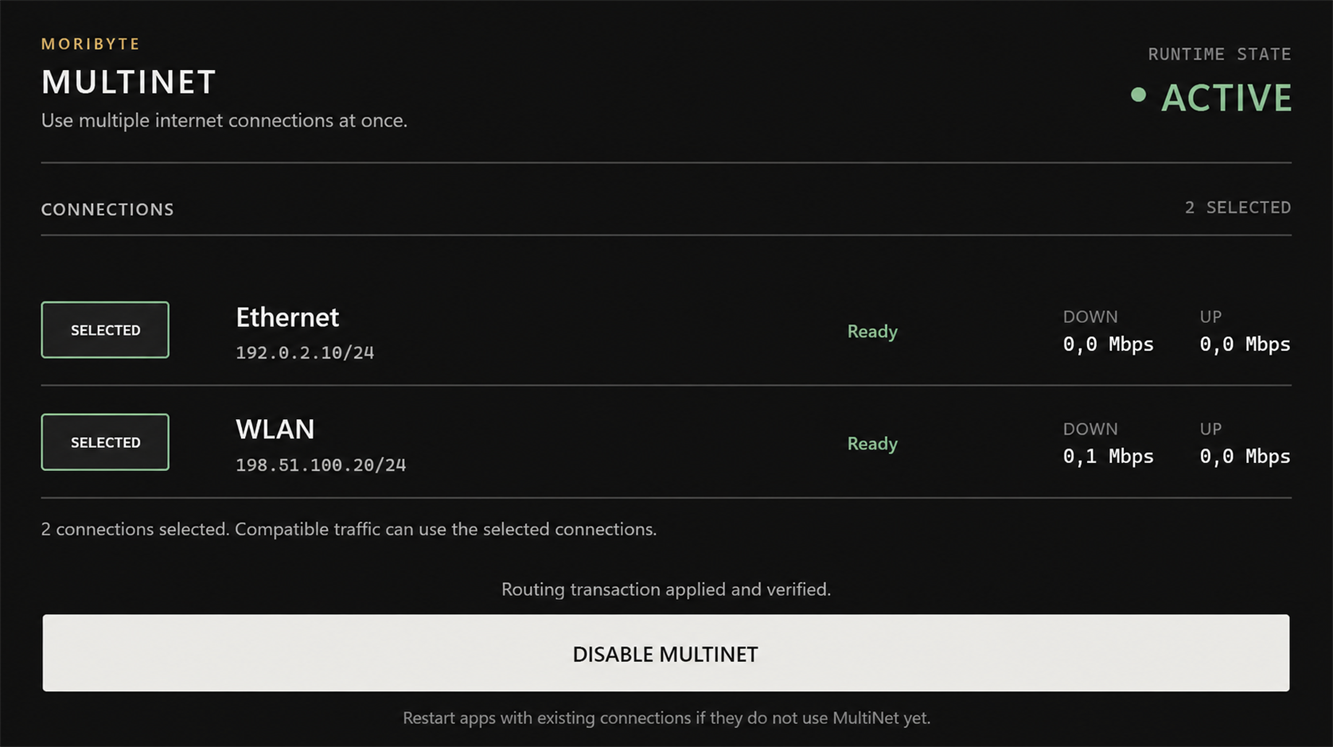
How it works
Connect Ethernet and Wi-Fi.
Open MultiNet and select both connections.
Enable MultiNet.
Apps using several connections can use both links.
Works with
When an app opens several connections, MultiNet can distribute them across Ethernet and Wi-Fi.
Steam downloads
Many game launcher downloads
Doesn't combine
A single connection stays on one internet link. MultiNet does not split it across Ethernet and Wi-Fi.
Apps using only one connection will therefore use only one link.
Safe by default
MultiNet for Windows
Windows 10/11 · x64 · Version 1.0.0 Beta
1.0.0 BetaMoribyte-MultiNet-Setup-1.0.0.exex64SHA-256: 119c6c0f7d94605bab07850d97f42d57ebc6a6c660e17aea271d79b6a896bae6